


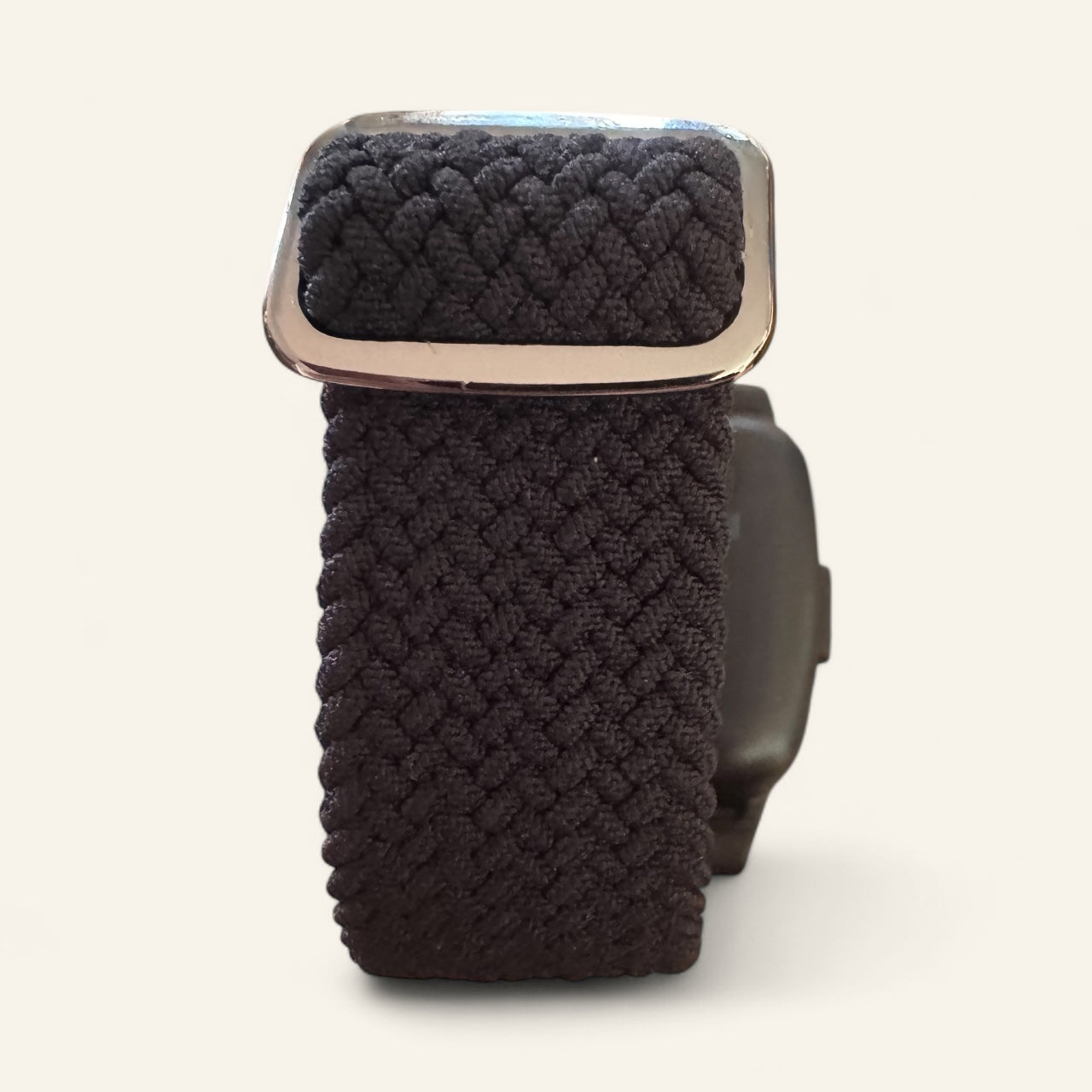
Elastic Nylon 20mm Strap (Black / Rainbow)
Elastic Nylon 20mm Strap (Black / Rainbow)
Couldn't load pickup availability
Enhance your BeechBand experience today with our stylish and functional elastic straps, making every wear a pleasure. Don't miss out on the comfort and style they bring to your outfit.
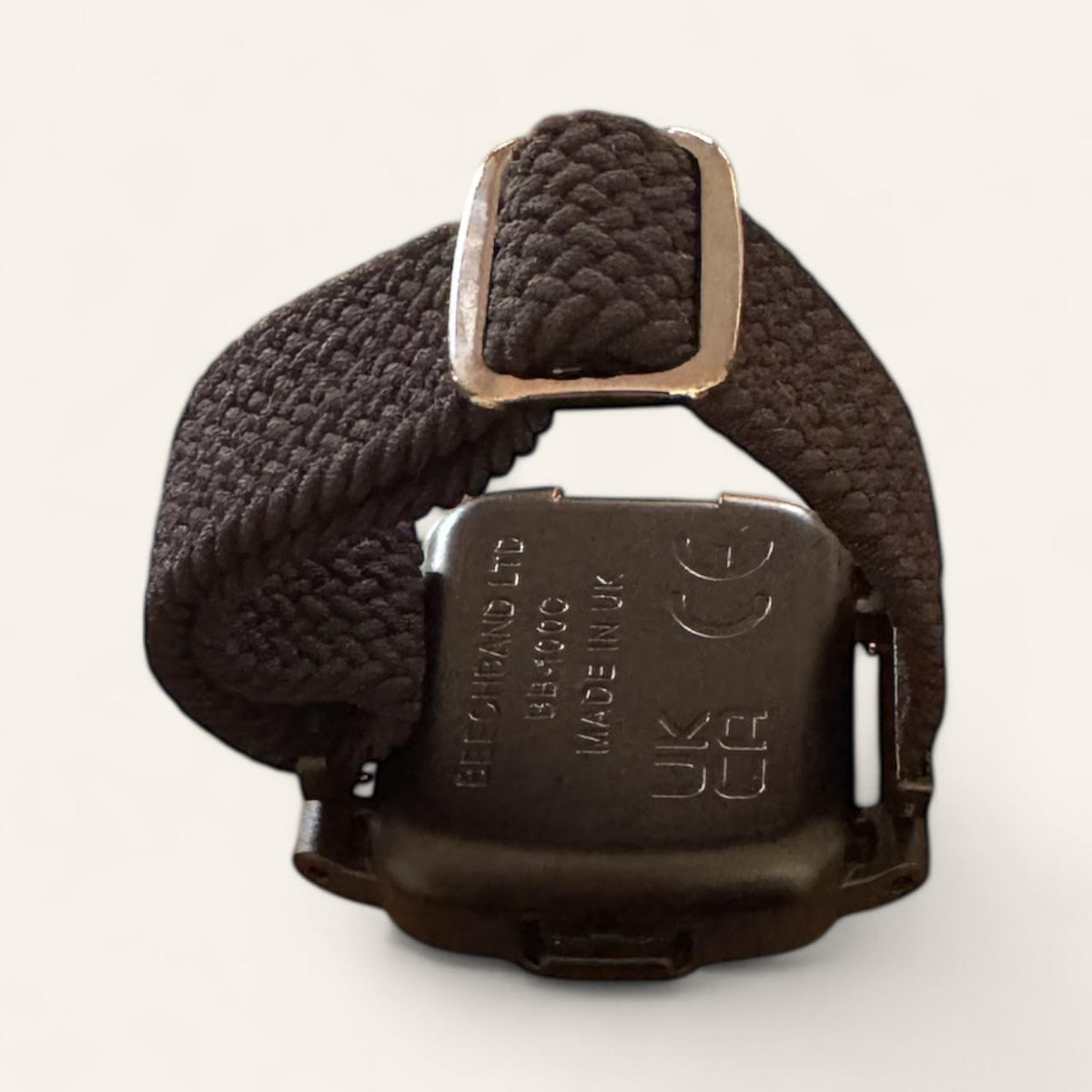
Select from the classic versatility of Black or the lively vibrancy of Rainbow. Both options feature a beautifully plaited, textured design crafted from high-quality, lightweight nylon that is durable, flexible, and fully elasticated.
Key Features:
• Simple To Use: The elasticated material makes it nice and easy to slip on and off, and it's easily adjustable to fit most wrist sizes instantly.
• Comes with quick-release spring pins - swap your strap with no tools required!
• Perfect Fit: 20mm width, suitable for wrist sizes from 120-220mm (4.7-8.7 inches).
 Patient Led
 Affordable Price
 100 Day Returns
How BeechBand works
Shipping & Guarantee
Technical details
BeechBand
Charity/Environment – We donate 25% of profits to research, including helping find cures.


Questions answered
Everything you need to know before buying
How does it work?
BeechBand's Story
When Carl's Parkinson's worsened, he developed a therapeutic tapping technique that helped improve his speech and movement. Realising this approach wouldn't be practical for everyone, he partnered with software expert Nick Whiteley to create the BeechBand-a wearable device that recreates the same calming rhythmic vibrations.
Today, many people with Parkinson's and other movement conditions use the BeechBand to support their daily lives. While it is not a cure and results vary from person to person, many users report gradual improvements in movement, communication, and everyday activities with consistent use.
Visit our Stories page to learn more about our users' experiences.
Will it work for me?
Getting the Most from Your BeechBand
The BeechBand is designed to be part of your daily routine rather than a quick fix. For the best results, wear it consistently for 8 hours a day, 7 days a week, for 12 weeks, and give it time to work. Some people notice improvements quickly, while for others it can take several weeks.
We recommend using your BeechBand for at least six weeks before deciding whether it's right for you. You can also try wearing it on different wrists to see what works best for your symptoms.
Buy with confidence thanks to our 100-day money-back guarantee. We also offer regular webinars, helpful support resources, and a growing online community where you can learn from other users and share your experience.
BeechBand user guide
Getting Started with Your BeechBand
Join our Facebook Community for tips and support, explore our FAQs and videos, and attend our free webinars to get the most from your BeechBand. If you experience any issues, please contact our support team. If you're not satisfied after following our recommended usage, you're covered by our 100-day money-back guarantee (terms apply).
Before first use, fully charge your BeechBand using a 5V USB-C charger (cable not included). Charging takes approximately 2 hours, with a red light indicating charging and a green light indicating a full charge. Always switch the device off while charging.
Wear your BeechBand on either wrist and adjust the strap so it fits snugly and comfortably. Try both wrists to see which provides the best results for you.
Important: The BeechBand is a wellness product, not a medical device. It is not waterproof, should only be charged with a 5V USB power source, and should never be worn while charging. If you use a pacemaker, have undergone DBS (Deep Brain Stimulation), or have any medical concerns, please consult your healthcare professional before use.
If your BeechBand stops vibrating or won't switch on, it usually needs charging. If problems persist after trying a different cable or power source, please contact our support team.
Your BeechBand includes a 6-month warranty covering manufacturing defects under normal use. Damage caused by misuse, modification, or liquid exposure is not covered.
BeechBuddy information
Compatibility
Which watches work with BeechBuddy?
- Apple Watch: any model running watchOS 10 or later - download from the App Store.
- Android / Wear OS: most Wear OS watches, including Samsung Galaxy Watch4 and newer (4/5/6/7/8, plus Classic, Pro, FE and Ultra), all Google Pixel Watches (1–4), OnePlus Watch 2/2R/3, and many Fossil, Mobvoi TicWatch, Casio, Xiaomi, Oppo, Montblanc, Movado, TAG Heuer, Suunto and Motorola models - download from the Google Play Store.
- Fitbit: only the Wear OS–based Fitbit Ace LTE is supported; standard Fitbit trackers are not.
Not sure if your watch is compatible? In the Google Play Store, select your watch from the device drop-down (top-left, where it says "This Device") rather than your phone or tablet, then search "BeechBuddy". If it shows as compatible, you can install and start using it straight away.
It says it's not compatible. Don't give up just yet - check you've selected your watch in the Play Store, as it defaults to your phone/tablet ("This Device"). Compatibility is specific to the watch.
Using the app
I've installed it - how do I use it? On your watch, open Apps and tap the BeechBuddy (BB) icon. Press the green START button (a red STOP button means it's already running).
How do I stop it? Press the red STOP button. If it's not visible (Android may background it after a while), reopen the BB app from your apps list, then press STOP.
How do I uninstall it? Go to Apps, press and hold the BB icon until prompted to uninstall, then confirm.
Will it affect my watch's battery? Yes - the app uses significant battery while running, so it's best for shorter, occasional sessions rather than continuous all-day use. It's ideal for a focused boost, such as sport, wellbeing, or staying sharp before an important moment.
Results & suitability
Will it help with my issue? We'll be honest - it won't work for everyone. Many users report benefits, some immediate and some more gradual, including feeling more comfortable during movement, communication or daily tasks. Results vary from person to person.
Have clinical trials been done? BeechBuddy is a wellness device, not a medical device, and isn't intended to diagnose, treat, cure or prevent any condition. Formal clinical trials haven't been completed yet, though we're planning research. If you have a medical condition or health concerns, please consult a qualified healthcare professional.
What age is it suitable for? Recommended for ages 12 and over; please consult a doctor for specific guidance.
Feedback & support
Whether it's working brilliantly, not working, or you have another question, we'd love to hear from you - email support@beechband.com or get in touch via our contact page. And do join our community on Facebook, Instagram and TikTok to share your story.
Ordering & delivery
Ordering
Order your BeechBand directly through this website. We currently deliver to the UK, EU, USA, Canada, Australia and New Zealand.
Shipping
We ship as soon as your order is ready. Stock is available now, with more produced on a rolling basis. Delivery time to your address is shown at checkout.
Important information
The band is a fabric elastic strap, which is generally well-tolerated by people with allergies - check the product instructions for details. It contains no magnets or Wi-Fi, so based on current information it should be safe for people with pacemakers or deep brain stimulators. Please consult your doctor first if you have a medical device or health concerns. The BeechBand is not a substitute for medical treatment or professional advice.
Recycling - can I recycle my BeechBand?
Yes, please do - don't just bin it. Recycling old electricals is important for the environment and easier than you'd think.
- It's free: recycle your electricals at your local recycling centre at no cost. Find your nearest at Recycle More (recycle-more.co.uk).
- It's the right thing to do: electrical equipment is the UK's fastest-growing waste type, yet much of it can be repaired or recycled to save resources.
- It's dangerous not to: un-recycled electricals end up in landfill, where they leak hazardous substances harmful to wildlife and potentially people. The crossed-out wheelie bin symbol on the instructions is your reminder never to put electricals in the bin.
- It's a UK-wide scheme: the Waste Electrical and Electronic Equipment (WEEE) Directive requires the separate collection and eco-friendly processing of electrical items.
How we help
As members of the Distributor Take-back Scheme (DTS), we financially support WEEE recycling centres nationwide. As a UK retailer, we give every customer buying new electrical equipment the chance to recycle their old items free of charge. Find out more and locate your nearest centre at Recycle More (recycle-more.co.uk).
BeechBand returns portal
Please use our Returns Portal for BeechBand models BB-100D & BB-100E. If you're returning other items (straps, merchandise), please email support@beechband.com.
Step 1: When to email instead of using the portal
Contact support@beechband.com to return other items, or to change an address/fix an order - the portal can't amend the original order's shipping details (see Reason 4).
Step 2: Choose your return reason
- Not working or defective - an electrical or manufacturing fault. Covered by our 6-month warranty for defects in materials and workmanship under normal use. Excludes damage from accidents, modification, or water/liquids (the BeechBand isn't waterproof). In the portal, choose "Replace my faulty BeechBand" for a like-for-like replacement.
- Didn't see the expected benefits - for those who've tried it but feel it isn't right. The BB-100D trial period is 100 days. We encourage using the full period, as consistent use over several weeks gives your body time to adjust (see our support page for tips). If it's still not right, you can return within your trial window.
- Doesn't fit - a comfort or sizing issue. Try an alternative strap first; many customers find it solves the fit and makes the device comfortable (UK customers can browse options on our website). If a new strap doesn't help, you can still return it.
- Order error - received the wrong item? Proceed through the portal. 🚨 Need to change the shipping address? Do not use the portal - it can't update addresses. Email support@beechband.com immediately and we'll sort it out.
Step 3: Final checklist
- Timeframe: within 6 months for a defect, or within your trial period.
- Condition: items returned as received, unless faulty.
- Postage: customers cover return shipping for non-faulty items - please use a reliable, trackable service. For faulty items, UK customers are provided with returns labels so these must also be returned.
Step 4: Proceed
Clicking below confirms you've read and understood these conditions.
→ BeechBand Returns Portal



Recalibrate your body

Movement
We have heard that the gentle vibrations have helped some feel calmer and more in control during movement.

Communication
BeechBand isn’t a medical solution, but we have seen first-hand how by supporting a calm, clear state of mind can encourage easier, more comfortable interactions in some users.

Sleep
Our community is sharing how the Beechband is helping them have better nights thanks to calmer days.

Emotional wellbeing
We’ve seen first-hand how the BeechBand can help with overthinking and mental clutter by promoting clarity and peace of mind.
Stories from people who chose BeechBand.

Carl
Our founder Carl talking about his experience.

Mark
“I’ve never seen anything like it” - We met Mark at the WPC in Phoenix. We still can’t believe how fantastic his results were!

Rose
“This BeechBand is absolutely unbelievable” - Rose demonstrates the incredible effects with and without the BeechBand

Alex
“A big improvement!” - Something most take for granted… Alex regaining control while eating.

Ellie
Shows the insane difference in her walking with the BeechBand on.

Jenny Wilson
I wasn't looking for a miracle. I was simply looking for something I could stick with. BeechBand quickly became part of my routine.

Gary and Mark
“I feel less stressed, calmer, my speech is good” - These results were after a few minutes of wearing the BeechBand

Wear it. Feel it. Let your brain do the rest.

Wear it
Place BeechBand comfortably on your wrist and carry on with your normal routine.

Feel it
Experience a gentle tactile rhythm working quietly in the background without demanding attention.

Stay consistent
Like any meaningful routine, consistency matters. BeechBand is designed for everyday use over time.


